


Manage Recurring Payments Easily with WooCommerce
- Multiple billing schedules available to suit your store’s needs.
- Integration with over 25 payment gateways for automatic recurring payments.
- Supports manual renewal payments through any WooCommerce payment gateway, along with automatic email invoices and receipts.
- Supports automatic rebilling on failed subscription payments, so you never lose revenue.
- Give subscribers the ability to manage their own plan, including upgrading or downgrading, without needing to wait on you for help.
- Built-in renewal notifications and automatic emails let you — and your customers — know when subscription payments have been processed, so there are never any surprises.
- Detailed reports let you track recurring revenue, active subscribers, and more.
- New! Allow shoppers to gift subscriptions to each other, helping you reach new shoppers and grow recurring revenue with less effort.
Capture residual revenue with recurring payments.
Can you say with certainty how much revenue your store will bring in this month? If you offered subscription-based products, you’d have a much clearer picture.
With WooCommerce Subscriptions, you can easily set up and manage products with recurring payments. This means you’ll enjoy a steady stream of income you can predict and rely on.
WooCommerce Subscriptions gives you the flexibility to offer all kinds of subscription options—whether it’s for physical goods, digital products, or services. You can create a product-of-the-month club, set up weekly service plans, or even offer annual software packages. Plus, you can add sign-up fees, offer free trials, or set specific expiration dates for your subscriptions.
A subscription-based model will allow you to capture more residual revenue — and all you have to do is ship the orders.
New! Upgrade to version 7.8.0 to allow your shoppers to gift subscriptions to each other.
WooCommerce Subscriptions features
Free trials and sign-up fees
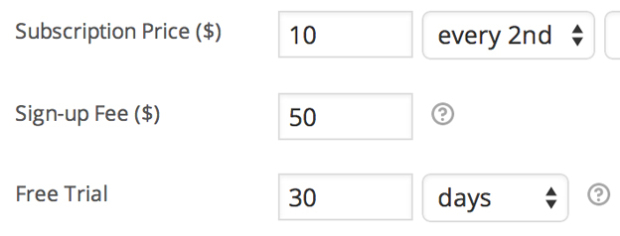
Charge an initial fee to account for customer setup costs, or let customers try before they buy by adding sign-up fees and free trials to any subscription product.
Subscription management
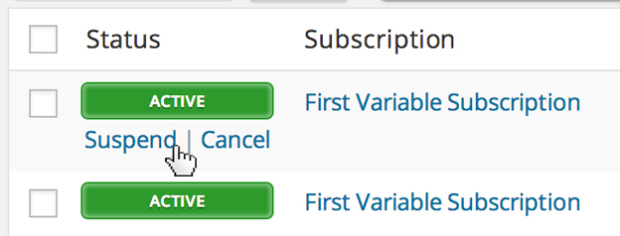
Store owners can manage subscriptions via the WooCommerce > Edit Subscription administration screen. You can suspend or cancel a subscription, change the trial expiration, add items, shipping, fees, or taxes to the subscription, or modify the recurring total for future payments.
Synchronized payments
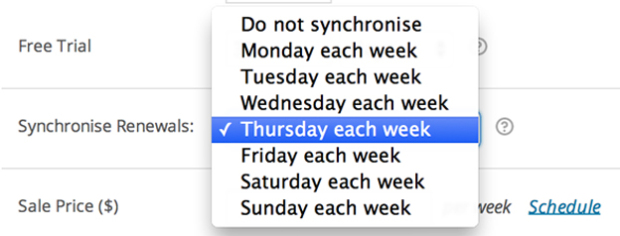
If you only want ship on certain days of the month, or align all customers to the same annual membership term, you can with WooCommerce Subscriptions’ renewal synchronization feature. You can even prorate the first payment of a synchronized subscription purchase.
Flexible product options
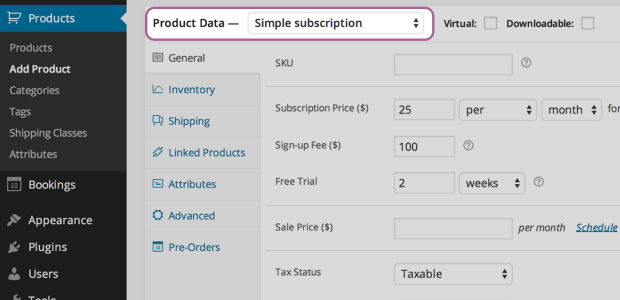
When creating a subscription product, you can make the product downloadable, virtual, or physical, charge renewal payments weekly, monthly, or annually, limit the product to one per customer, and even charge shipping only on the initial order.
Subscription Coupons
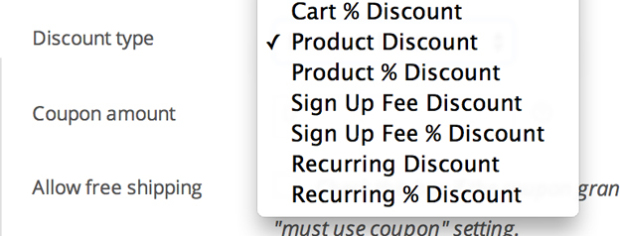
Offer customers a discount on their monthly payments or just the sign-up fee. Subscriptions includes both recurring discount coupons and sign-up fee coupons.
Variable subscriptions
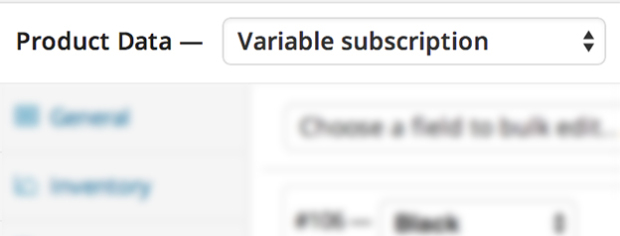
Create variable subscription products and allow your customers to choose a subscription that suits their needs. You can even let customers choose their own billing schedule.
Subscriber account management

Your customers can also manage their own subscriptions. With the My Account > View Subscription page, subscribers can suspend or cancel a subscription, change the shipping address or payment method for future renewals, and upgrade or downgrade their subscription.
Upgrades/downgrades
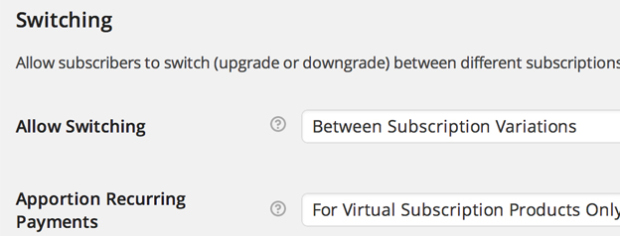
Give your customers the freedom to upgrade, downgrade, or switch between different subscription products. With flexible proration options for recurring payments, sign-up fees, and subscription lengths, you can easily tailor the costs of switching to fit your store’s needs.
Multiple subscriptions

Your customers can also purchase different subscription products in the same transaction, and Subscriptions will group the products to reduce the payment gateway fees and logistical overhead for their future renewals.
Customer emails
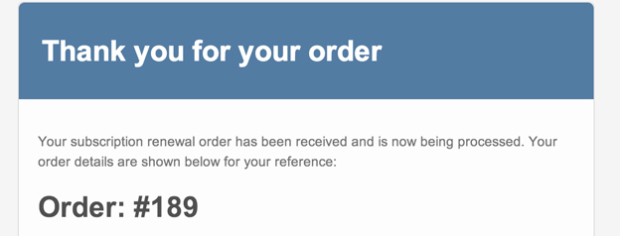
Automatically notify customers when a subscription renewal payment is processed, a subscription is cancelled or when a subscription has expired with the built-in subscription emails.
Want to give your customers the choice to buy your products just once or as a subscription? The All Products add-on for WooCommerce Subscriptions makes it easy. With this powerful tool, you can offer optional subscription plans alongside your existing products, giving shoppers the flexibility they want.
Capture more residual revenue.
Whether you want to send loyal customers a surprise bundle each month or bill them for in-person services at your small business, WooCommerce Subscriptions makes it easy to secure that valuable recurring revenue—without the hassle.
You’ll have clear insight into your subscriber numbers, billing schedules, and total revenue, so you’ll always know exactly what your store can rely on as your business grows.
How to get started
- Buy this extension.
- Download, install, and activate the extension in your WooCommerce store.
- Set up your first subscription-based product or service and launch it.
- Check out our detailed documentation to help you customize your subscription products, renewal options, and more.
- Sit back and enjoy earning more revenue!
WooCommerce Subscriptions is compatible with the new Cart and Checkout blocks – a customizable, conversion-optimized checkout experience available in WooCommerce core.
Frequently asked questions
Can I offer a subscription box?
Yes. Depending on your exact setup, it might require additional plugins. See the linked guide for more information.
What is the difference between Memberships and Subscriptions? Can I use either one? Do I need both?
Although the Memberships and Subscriptions plugins complement each other, each serves a unique purpose and can be used on its own. Subscriptions is ideal for products that require recurring payments, while Memberships is designed to restrict access to products or site content and provide exclusive discounts to members. When combined, these plugins let you create membership plans that automatically renew each year, giving you even more flexibility for your site.
Read more: WooCommerce Memberships Subscriptions Integration.
Can I offer a downloadable subscription where customers only get access to products released when their subscription was active?
This is possible when Subscriptions is used alongside the AutomateWoo extension.
Read more: Subscription – Add / Remove Product Actions
Can I offer a product as a one-off purchase or as a subscription?
This is possible with the All Products for WooCommerce Subscriptions extension.
Does Subscriptions use Stripe Subscriptions functionality or the subscription functionality in my payment gateway?
No, that’s not the case. While you can use Stripe—and many other payment gateways—with the Subscriptions extension to handle automatic recurring payments, the actual management of subscriptions happens on your site, not within the payment gateway itself.
This means your payment gateway will process each recurring payment, but it won’t control the billing schedule or the subscription status. Those details are managed directly through your website.
Read more: Subscriptions Payment Methods & Gateways.